 DWG
DWG
Dynamic Pipe Fitting CAD Blocks — Tees, Elbows and Reducers DN15–150
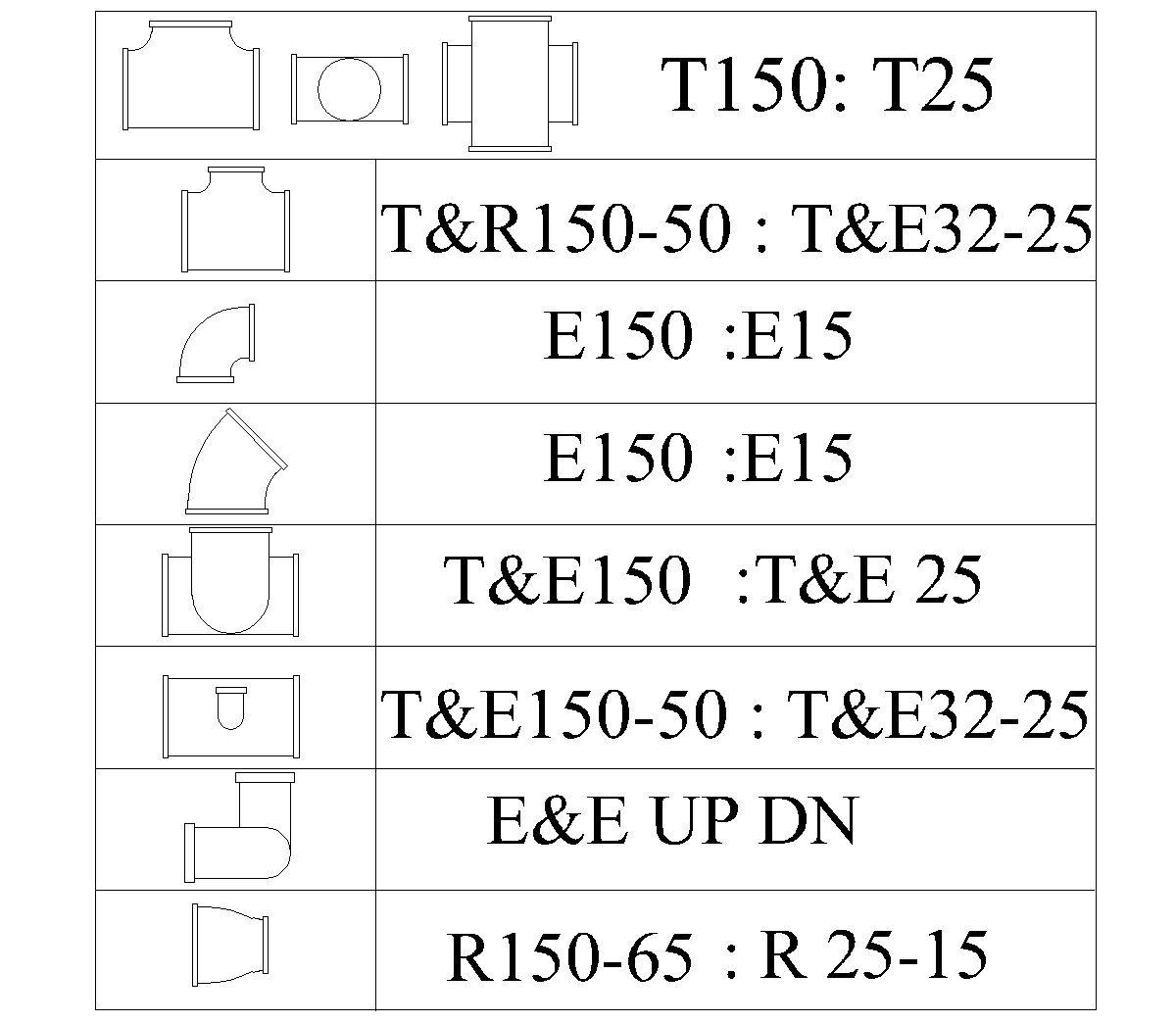
Flanged pipe fittings as dynamic blocks — tees, elbows, tee-and-elbow combinations and reducers, each sized from DN15 to DN150 from a single block.
Screenshots
About
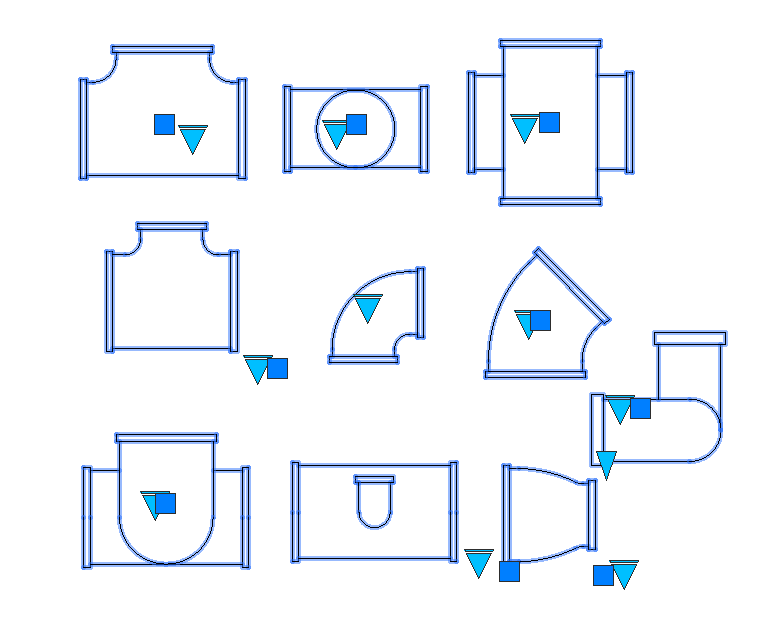
Flanged pipe fittings drawn double-line in plan, built as dynamic blocks. Each one carries its full size range, so a single block covers everything from DN15 to DN150 rather than needing a separate block for every diameter.
Fittings included
- Equal tee — DN25 to DN150, shown in plan, section and elevation
- Reducing tee — DN32–25 through DN150–50
- 90° elbow — DN15 to DN150
- 45° elbow — DN15 to DN150
- Tee with elbow — DN25 to DN150
- Reducing tee with elbow — DN32–25 through DN150–50
- Elbow up and elbow down — for risers and drops
- Concentric reducer — DN25–15 through DN150–65
How dynamic blocks work
Insert the fitting once, then pick the size from the drop-down on the block’s grip rather than inserting a different block. The geometry redraws to the selected diameter, so the drawing stays to scale and a size change late in the job is one click rather than a delete and re-insert.
Because every size lives in one definition, a drawing using these carries a handful of block definitions instead of dozens. That keeps the file smaller and the block list readable, which matters more than it sounds on a set that runs to fifty sheets.
Notes
These are flanged fittings drawn to nominal dimensions. Face-to-face lengths vary between pressure classes and between manufacturers, so check the block against the fitting actually specified before using it for anything that has to be built — a DN150 tee at PN16 is not the same length as the same tee at PN10.
The blocks are drawn double-line, which suits a plan at 1:50 or larger. At 1:100 the flanges close up and the drawing reads better with single-line pipework and symbols instead.
If the drop-down does not appear when you select the block, the drawing is probably open in a viewer or in AutoCAD LT. Dynamic block parameters need full AutoCAD to edit, though the block still inserts and plots correctly either way.
Select any fitting and the grips appear: a lookup grip for the size and a stretch grip for the run direction.